Sunday, May 19, 2013

OnLine Classes: ya gotta love them

They fit the bill for me.
  • I am a night owl and like to work into the wee hours. OnLine classes are 24/7.
  • I like to read lessons and can skip all of the home made videos that are so prevalent these days.
  • I am a quick study and can work at my pace.
  • I don't have to waste time in the travel.
That said, I am taking two right now. The first one is twelve weeks long with  a lesson per week. The lesson shows up on Thursday and you can finish it at you own pace. It is put on by Big Picture and is Cathy Zelske's Clean and Simple class. This gal knows what she is talking about. She works with design principles and precise placement of things. She has a vast knowledge of graphic arts, book making and typography. I am learning a lot, including new tricks in Photoshop, which I love.

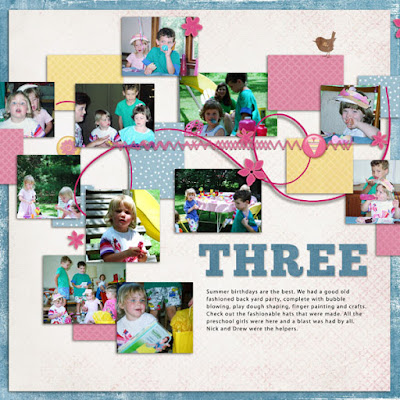
Here is my piece from Lesson 1.  I loved making this. And, since I prefer to scrap digitally, this was a piece of cake. I, personally, can't stand the mess of paper scrapping. Whatever! Love the neat storage of digital supplies. These templates can be used over and over again. I love that too! Check it out yourself.

Sunday, May 5, 2013

National Scrpabooking Day

was yesterday. What fun!
There were lots of goodies being handed out on the internet and challenges galore. I've taken a number of classes at Big Picture and did a few of their challenges. Challenge #1 was to download a list of I-statements, complete the list and the scrap a story from one of the statements. I chose "I like" to learn new things.

Here is my layout and story.


Supply credits go to: Lynn Grieveson Essentials 4 and Antiquities paper packs; Julia Macotinsky stitching; Kate Pertiet for the border; Anna Aspnes Palette Bicycle kit; Jen Maddocks This Way Masks; Cinzia Loosemore paint blotch; Mary Ann Wise Waterpaper; Chisle and Kalinga fonts

Monday, April 29, 2013

Lightroom Update

I am continuing to load supplies in Lightroom.
I am adapting as I move forward.
I know this about my scrapping self:
  • Scrapping is about recording the stories and photos. All the rest is support stuff.
  • I always use a background paper.
  • I almost always use a template.
  • I rarely use an alpha kit. I prefer using fonts.
  • I love all kinds of clipping masks and brushes, which I often use as a clipping mask.
  • I don't use too many elements.
  • My favorite elements are frames, stitching and staples.
  • If I use a number of elements, alphas or the like, they will probably come from the same kit as the paper. I don't like to spend too much time on the search.
That said, as I upload the kits to Lightroom, I tag
  • the preview page in a preview only section;
  • the preview page in a holiday section, example Christmas, Halloween, if appropriate;
  • the preview page in a themed section, example school, sports, travel, if appropriate;
  • the entire kit, under the designers name and kit name;
  • then I pick and choose the rest of the tagging;
  • I only tag things I like a lot, usually the things I use a lot.
  • I also tag templates.
Not tagging every single item speeds the process. Having the entire kit loaded under designer and kit name gives me access to the entire kit. Not everything will show up on a more details search.

So when I begin a LO, I look at the photos I want to scrap and choose a template. Clip the photos in and journal the story. Next I look for a paper for the background. This might be a color or a holiday or a theme. In every case, what I choose can lead back to the kit it is contained in. There I can see the rest of the stuff. So no need to tag every single item.


Here is an example. The template is from Anna Aspnes and includes a spot for a large photo and several smaller. You can move things around as you need but this template is so artistic that loading the photos and selecting a paper background is all that is needed.

Check back for more on Lightroom next week.

Tuesday, April 23, 2013

Snickers, not snicker...

Another layout using one of Cathy Zielske's templates.
I added the photos, the story and the background paper which is from Jomi's kit Embrace.
I am loving the Lightroom storage of my scrapping supplies. I'm finding things I didn't remember having and so quickly.


It really is about telling the story.

Monday, April 22, 2013

Begin at the Beginning

which for me is generally a template. I like both gridded or free flowing. For me, scrapbooking is about photos and storytelling.  Here is a clean and simple template that I began with.


Here are the steps I took:
  • found a fun paper for the background that fits the theme of the page and serves as a  border;
  • clipped pictures to the black boxes on the left side;
  • eliminated the box borders around the green boxes;
  • clipped paper to the green boxes that I selected to repeat the red in the background paper;
  • replaced the frame on the black box on the right with a fun frame;
  • inserted a color in the box also selected from the background paper;
  • along with a number and some text;
  • recolred all of the box borders red to add to repetition.
 Here is the page, done rather simply and quickly.


Easy-peasy!

Wednesday, April 17, 2013

Scrap Supplies Lost and Found

I had my scrap supplies stored two ways. First I had a file structure for each scrap designer whose supplies I own. I considered this my backup file. Next Iorganized the parts of these I like into categories of supplies. So Alphas-Brushes-Frames-Word Art, etc and then categories within. In March, the organized supply files simply disappeared. I tried scouring the EHD and searched all other folders, just in case they simply got dragged somewhere else. It was a huge supply so I am pretty certain they were not deleted because I would have received the question "too big for the recycle bin" but I didn't. CYBER SPACE, your name is mud.

At first I was devastated but in searching around for options, I discovered Kayla Lamoreaux's Lightroom for Memory Keepers. Learning Lightoom was on my list of things to do this year. So I began by listening to her videos and following her instructions. That is huge good news. I am hooked.

But the best part of this is discovering scrap supplies I forgot I had. I am taking it slow and perusing the designers that I really like and importing their stuff first. It has given me an opportunity to do some cleaning house and the tagging reduces all of the duplicating that I use to do when a supply fit 2 categories.

Here is a sample of the LR screen with one of Julia Makotinsky's kits called Art Fusion 2.


I can click on Julia's name and all of the supplies I have by her will come up or I can click on a particular kit or green paper or alphas. The choices and ways of viewing supplies are endless. So far, I am loving this. It is a a bit of work but I am moving slowly.

Tune in again and I will show you some fun things.

Friday, April 12, 2013

Bigs and Littles...

all serve a purpose, just like Basketball.

I love using templates that allow me to choose one photo that can be made large. The rest become supporting images. As we all know, many photos just aren't that great but they do the work of telling the story. So love me two page templates that incorporate both. Here is an example.
Big and little...


Sweet!